
Half-court offense
Use a half court to lay out spacing, then add frames for cuts, screens, and passes. Show where each player goes instead of relying on a single crowded diagram.

Basketball play maker & drill designer
Show the spacing before the pass, the cut that creates an option, and the next movement. Build basketball plays and practice drills one frame at a time, right in your browser.
Built around your coaching
Use the board to make the movement, spacing, and purpose of your exercise easier to see.
Use a half court to lay out spacing, then add frames for cuts, screens, and passes. Show where each player goes instead of relying on a single crowded diagram.
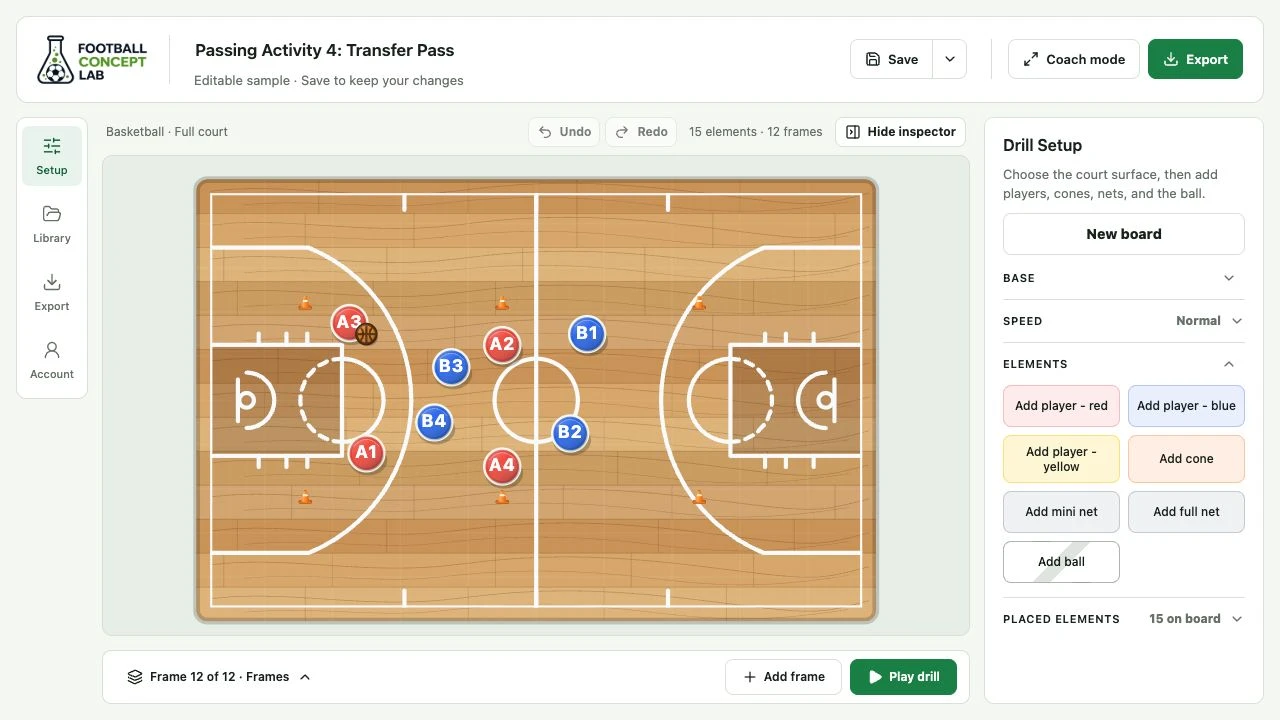
Switch to the full court to illustrate outlet positions, running lanes, and the next pass. Preview the sequence as you adjust the movement.
Choose the paint closeup for work near the basket. Add cones to mark starting points and captions to explain the focus of each repetition.
A simple coaching workflow
Keep your attention on the court, with the tools you need close by.
Choose a surface and place your players, cones, and ball. Edit labels in Placed elements and lock the setup when you want it to stay fixed.
Add a frame and move the elements to show what happens next. Preview with Play drill, undo an edit, and reveal or pin the frame tray when you need the full sequence.
Walk through the idea in coach mode, or export an MP4 or GIF. Add coaching notes, captions, and optional MP4 narration, and save an editable version for your next session.
Before you start
Yes. Choose full court, half court, paint closeup, or plain court in the basketball editor. Add players and the ball, then position them for your play.
Build a sequence of frames with the players and basketball in their next positions. Use playback to show movement between frames and captions to explain the action.
Yes. Save the editable drill to your library or download its drill file. Reopen it to adjust player labels, positions, frames, and coaching notes before exporting a new clip.
Ready for your next session